

What the Sabes Pro VST3 Plugin Does
During recording, mixing, or mastering, inspiring moments happen fast. Switching away from your workstation to manually save copies breaks your creative flow. The Sabes Pro VST3 plugin gives you a dedicated one-click action button directly inside your DAW rack.
In this context, "bookmarking" means capturing an immediate, permanent snapshot marker for your current project revision. When you click the button, Sabes Pro indexes your exact session state so you can return to that precise mix moment anytime on your timeline.
How It Works Under the Hood
The Sabes Pro VST3 plugin is an ultra-lightweight control widget. It does not process audio buffers or consume CPU cycles. When clicked, it communicates over a secure local connection with Sabes Pro running in the background on the same computer.
The background service receives the signal, verifies your active project file, and immediately creates a bookmarked Take in your encrypted local repository.
Real Plugin UI States
The plugin widget uses Sabes Pro's unified dark theme and Coral brand gradient system. Below are real screenshots of the compiled plugin rendering in action across operational states:
1. Ready to Bookmark (Idle)
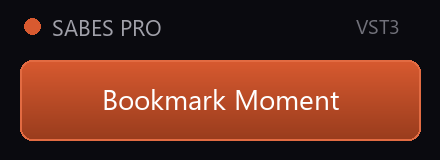
Displays signature Coral gradient and an active header dot when Sabes Pro is running in the background.
2. Successful Bookmark
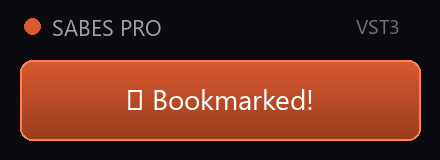
Confirms instant bookmark creation with a checkmark cue (✔ Bookmarked!) before returning to idle.
3. Unsaved Session Notice
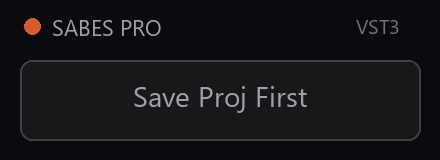
If a new session has not been saved to disk yet, the neutral surface prompts Save Proj First while keeping the Coral header dot active.
4. Service Offline Notice
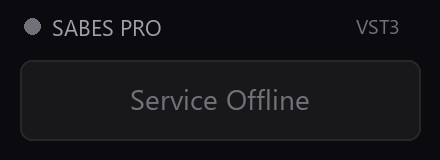
If Sabes Pro is not running in the background, the desaturated gray header dot clearly indicates Service Offline.
DAW Compatibility Status
REAPER (.rpp)
Verified VST3 host hosting compliance. Full button interaction and bookmark creation verified.
Ableton Live, FL Studio, Cubase, Nuendo
Additional VST3 host testing currently in progress prior to public release.
Pro Tools* (.ptx)
*Pro Tools natively uses AAX plugin format. Loading VST3 plugins inside Pro Tools requires a separate third-party AAX-to-VST3 wrapper (such as DDMF Metaplugin or Blue Cat PatchWork), which is not provided by Sabes Pro.
System Requirements
- Operating System: Windows 10 or Windows 11 (64-bit).
- DAW Host: Any VST3-compatible host application (such as REAPER).
- Companion App: Sabes Pro running in the background on the local machine.
Direct Plugin Download
Sabes Pro VST3 Companion Installer
Includes 64-bit VST3 bundle and host installation helper.
Download VST3 Companion (Coming Soon)The VST3 plugin companion is included free with all Sabes Pro licenses.
Frequently Asked Questions
Is the Sabes Pro VST3 plugin free?
Yes. The VST3 plugin is included with every Sabes Pro license tier (Individual, Studio, and Enterprise) at no extra charge.
Does Sabes Pro need to be running in the background?
Yes. The VST3 plugin communicates locally with Sabes Pro running in the background. If Sabes Pro is closed, the plugin displays Service Offline.
What should I do if the plugin displays "Save Proj First"?
Save your session once (Ctrl+S) in your DAW. This allows Sabes Pro to detect your session file path and initialize version tracking.
Which DAWs support the VST3 plugin?
The plugin is built using Steinberg's standard VST3 specification. Host compatibility has been explicitly confirmed in REAPER, with testing for Ableton Live, FL Studio, Cubase, Nuendo, and Pro Tools currently underway.